

AuthenTrend biometric security keys
Your fingerprint.
Your key to secure access.
Explore ATKey biometric FIDO2 security keys and smart cards for supported passwordless authentication.
TEKYHOST is an AuthenTrend reseller partner in Canada, helping businesses choose the right authentication products for their devices and workflows.
Explore the ATKey range
Choose the format that fits your work.
Select a USB-A key, USB-C key, or biometric smart card. Each product page provides current pricing and availability. Check compatibility with your intended environment before ordering.
USB-A security key
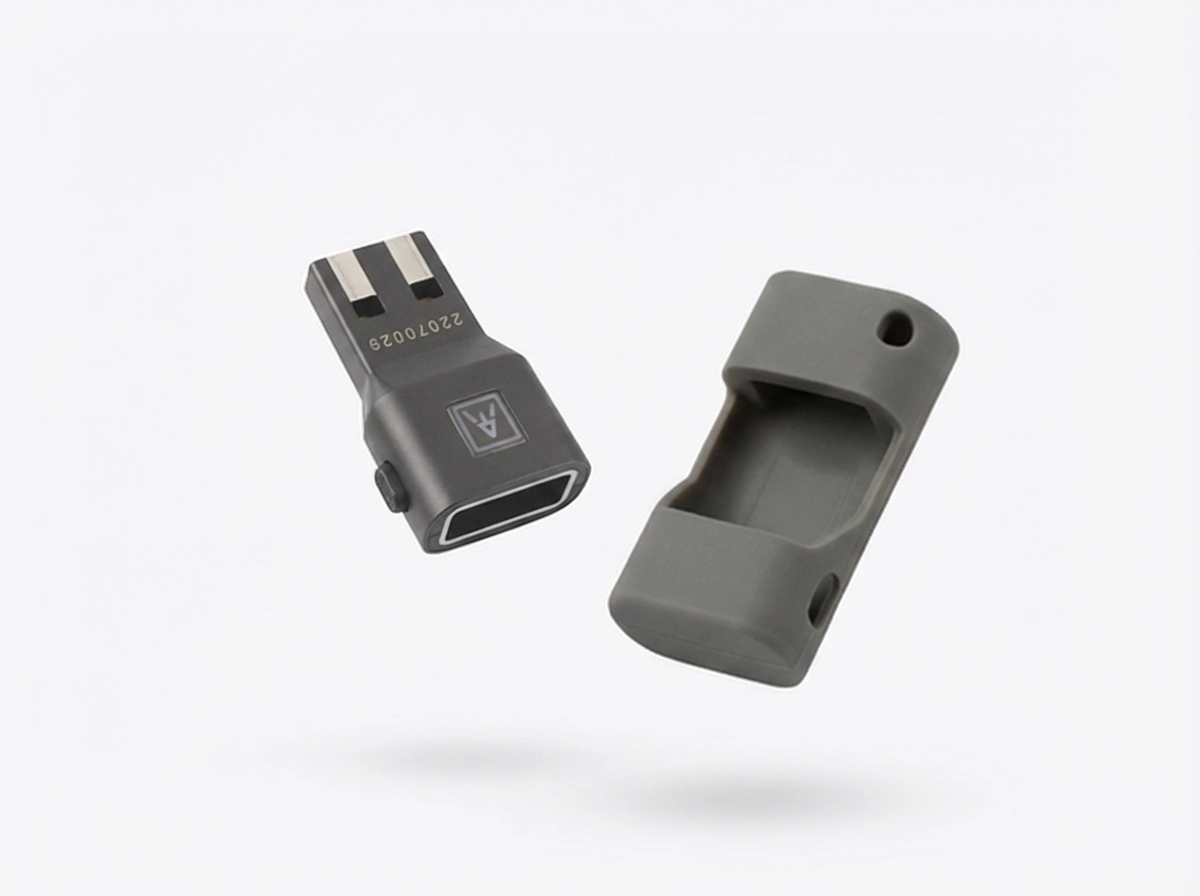
ATKey.Pro USB-A
Fingerprint-enabled authentication for compatible computers with a USB-A port.
- USB-A connection.
- FIDO2 authentication for supported services.
- Fingerprint verification on the key.
- Compact zinc-alloy housing.
USB-C security key
ATKey.Pro USB-C
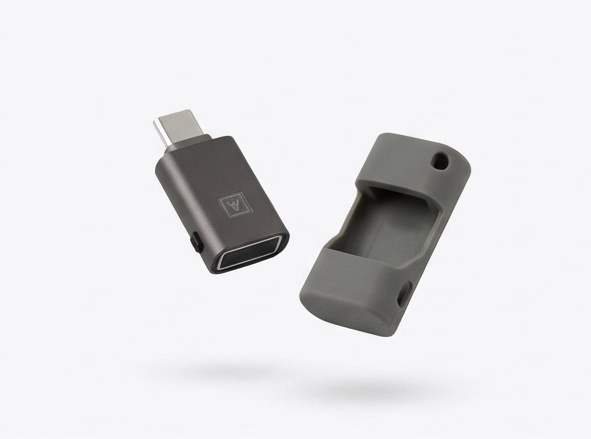
A biometric USB-C security key for supported authentication workflows on compatible computers.
- USB-C connection.
- FIDO2 authentication for supported services.
- Fingerprint verification on the key.
- Compact zinc-alloy housing.
Biometric smart card
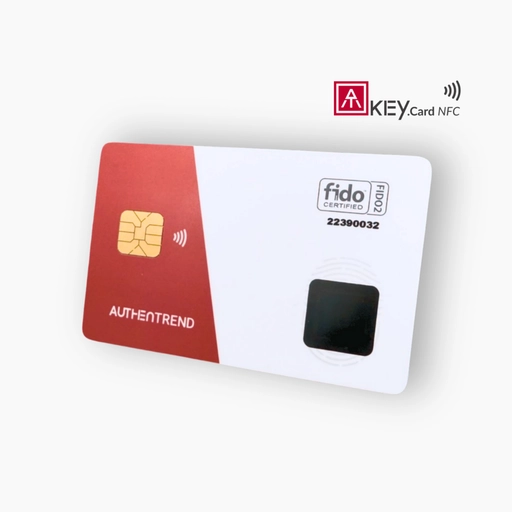
ATKey.Card NFC
A fingerprint-enabled smart card for compatible NFC and contact smart-card environments.
- Fingerprint-protected FIDO2 authentication.
- NFC and contact smart-card interfaces.
- PIV/PKI support for compatible deployments.
- Credit-card-sized format.
Requires a compatible reader or supported NFC device. Reader and badge holder are not included unless specified.
View NFC smart cardStrong authentication, personal verification
A practical step toward passwordless access.
Fingerprint verification
Verify your identity on the authenticator. AuthenTrend states that biometric data remains on the device.
Phishing-resistant sign-in
Supported FIDO2 sign-in uses cryptographic credentials tied to the service, helping protect against credential phishing.
A format for your environment
Choose a USB connector for your computer or a biometric card for a compatible reader-based workflow.
Which ATKey should you choose?
| Product | Connection | Choose when |
|---|---|---|
| ATKey.Pro USB-A | USB-A | Your computer has a USB-A port and your service supports the intended FIDO2 workflow. |
| ATKey.Pro USB-C | USB-C | Your computer has a USB-C port and your service supports the intended FIDO2 workflow. |
| ATKey.Card NFC | Compatible NFC or contact smart-card reader | Your organization needs a biometric card for a compatible reader-based authentication environment. |
Compatibility depends on the product model, firmware, operating system, browser, reader, application, and organization policies. PIV/PKI and physical-access deployments require compatible infrastructure and configuration.
Before you order
Frequently asked questions
Will an ATKey replace passwords everywhere?
No. Your application or identity provider must support the relevant authentication method. Some setup, management, and recovery operations may require a PIN or another verification method.
Does my fingerprint get sent to the website?
AuthenTrend states that biometric data remains on the authenticator. Supported FIDO2 services receive a cryptographic authentication response rather than your fingerprint.
Does ATKey.Card NFC need a reader?
It requires a compatible contact smart-card reader or a supported NFC device or reader. Confirm compatibility with the exact hardware and software you intend to use.
Can I use any NFC reader?
No. NFC capability alone does not establish compatibility with biometric FIDO2 smart-card authentication. Contact TEKYHOST for help checking the exact reader and intended workflow.
What happens if I lose my key or card?
Use a previously registered backup authenticator or your service’s recovery process. Remove the lost authenticator from your accounts and follow your organization’s security procedures.
Can TEKYHOST help with product selection?
Yes. Tell us your devices, identity provider, applications, user count, and deployment goals so we can help compare the options.
Canadian product-selection assistance
Choose the right key for your team.
Comparing USB keys and smart cards, or planning a larger deployment? Speak with TEKYHOST before ordering.